Showing posts with label Apps. Show all posts

Monday, May 8, 2017

User experience tips to help you design your app to engage users and drive conversions


By Jenny Gove, Senior Staff UX Researcher, Google Play


We know you work hard to acquire users and grow your customer base, which can be
challenging in a crowded market. That's why we've heard from many of you that
you find tools like store
listing experiments
and universal
app campaigns
are valuable. It's equally important to keep customers engaged
from the beginning. Great design and delightful user experiences are fundamental
to doing just that.


We partnered with AnswerLab to conduct comprehensive user experience research
across a variety of verticals; including e-commerce, insurance, travel, food
ordering, ticket sales and services, and financial management. The resulting
insights may help you increase engagement and conversion by providing guidance
on useful and usable functionality.


The best app experiences seamlessly guide users through their tasks with
efficient navigation, search, forms, registration and purchasing. They provide
great e-commerce facilities and integrate effective ordering and payment
systems. Ultimately, an engaging app begins with attention to usability in all
of these areas. Learn tips on:


  • Navigation & Exploration

  • In-App Search

  • Commerce & Conversions

  • Registration

  • Form Entry

  • Usability and Comprehension


You can read the full article, design
your app to drive conversions
, on the Android Developers website, complete
with links to developer resources. Also get
the Playbook for Developers app
to stay up-to-date with features and best
practices that will help you grow a successful business on Google Play.


How useful did you find this blogpost?


? ? ? ? ?


Tuesday, May 2, 2017

Why you should localize your app or game for Middle East and North Africa


By Mohammad El-Saadi, Business Development, Google Play


The Middle East and North Africa (MENA) region is a fast growing market for app and game developers on Google Play, and localizing is crucial to making the most of the opportunity. For example, the main grossing apps & games in Saudi Arabia have localized their store listings and their actual app and game on Google Play.


The British team behind the Skyscanner travel app had already localised it into more than 15 languages, yet the launch in Arabic was a huge milestone for them. Arabic speaking users really appreciated the localization and the app's average user rating increased from 4.62? to 4.77? after localization. Users engaged with the app longer, with an increase of 30% in their average session duration. Additionally 50% more travellers have been redirected to Skyscanner partners to book flight, hotel and car hire deals.


Skyscanner opening screen in English and in Arabic

But how difficult is it to correctly localize your app or game to Arabic?


The team at Skyscanner managed to develop Right-To-Left (RTL) Arabic language support within the app in two weeks: "Our initial fear was that we would need lots of manual coding for the layouts. However, the Android layout system handled all of the cases really well. We were already using *Start and *End margin and padding in line with guidelines, but there's also Android Studio support and Lint check to fix any issues automatically." says Mate Herber, Software Engineer.


Many other top apps and games developers are successfully investing in localizing for MENA users. For example, when game developer Pocket Gems localized War Dragons, the installs by Arabic speaking users tripled. Their percentage of revenue from Arabic language players also went from effectively 0% to ~1.5%.


We just refreshed the Now in Arabic collection (MENA only) with 16 newly localized apps and games, including titles like Netflix, Periscope and Transformers. It will be live until May 11 on Google Play in the following countries: Algeria, Bahrain, Egypt, Jordan, Kuwait, Lebanon, Morocco, Oman, Qatar, Saudi Arabia, Tunisia and United Arab Emirates.


Check our Localization Checklist for best practices when localizing for any language, and our Going Global Playbook. When your app or game in Arabic is ready, you can self-nominate to be part of future refreshes of the Now in Arabic collection by filling in this form.


How useful did you find this blogpost?
? ? ? ? ?


Thursday, April 20, 2017

App onboarding for kids: how Budge Studios creates a more engaging experience for families


Posted by Josh Solt (Partner Developer Manager, Kids Apps at Google Play) and Noemie Dupuy (Founder & Co-CEO at Budge Studios)


Developers spend a considerable amount of resources driving users to download
their apps, but what happens next is often the most critical part of the user
journey. User onboarding is especially nuanced in the kids
space since developers must consider two audiences: parents and children. When
done correctly, a compelling onboarding experience will meet the needs of both
parents and kids while also accounting for unique considerations, such as a
child's attention span.


Budge Studios has successfully grown their
catalog of children's titles by making onboarding a focal point of their
business. Their target demographic is three to eight-year olds, and their
portfolio of games include top titles featuring Strawberry Shortcake, Hello
Kitty, Crayola, Caillou and The Smurfs.


"First impressions matter, as do users' first experience with your app. In fact,
70%1 of users who delete an app will do so within a day of having downloaded it,
leaving little time for second chances. As an expert in kids' content, Budge
tapped into our knowledge of kids to improve and optimize the onboarding
experience, leading to increased initial game-loop completion and retention." -
Noemie, Founder & Co-CEO at Budge Studios


Three key ways Budge Studios designs better onboarding
experiences:


1. Make sure your game is tailor-made for kids


When Budge released their app Crayola
Colorful Creatures
, they looked at data to identify opportunities to create
a smoother onboarding flow for kids. At launch, only 25% of first-time users
were completing the initial game loop. Budge analyzed data against gameplay and
realized the last activity was causing a drastic drop-off. It required kids to
use the device's microphone, and that proved too challenging for very young
kids. Budge was able to adjust the initial game loop so that all the activities
were accessible to the youngest players. These adjustments almost tripled the
initial loop completion, resulting in 74% of first-time users progressing to see
additional activities.


2. Earn parents trust by providing real value upfront


Budge has a large of portfolio of apps. Earning parents' trust by providing
valuable and engaging experiences for kids is important for retaining users in
their ecosystem and achieving long term success.


With every new app, Budge identifies what content is playable for free, and what
content must be purchased. Early on, Budge greatly limited the amount of free
content they offered, but over time has realized providing high quality free
content enhances the first-time user experience. Parents are more willing to
spend on an app if their child has shown a real interest in a title.


Working with top kids' brands means that Budge can tap into brand loyalty of
popular kids characters to provide value. To launch Strawberry
Shortcake Dreams
, Budge decided to offer Strawberry Shortcake, the most
popular character in the series, as a free character. Dress Up Dreams is among
the highest converting apps in the Budge portfolio, indicating that giving away
the most popular character for free helped conversions rather than hurting it.


3. Test with real users


Budge knows there is no substitute for direct feedback from its end-users, so
Budge involves kids every step of the way. Budge Playgroup is a playtesting
program that invites families to try out apps at the alpha, beta and
first-playable development stages.


The benefits from early testing can be as basic as understanding how the size
and coordination of kids' hands affect their ability to complete certain actions
or even hold the device, and as specific as pinpointing a less-than-effective
button.


In the testing stages of Strawberry Shortcake Holiday Hair, Budge caught an
issue with the main menu of the app, which would not have been evident without
observing kids using the app.


Prior to Playtesting:


After Playtesting:


In the original design, users were prompted to start gameplay by audio cues.
During testing, it was clear that the voiceover was not sufficient in guiding
kids to initiate play, and that additional visual clues would significantly
improve the experience. A simple design change resulted in a greatly enhanced
user experience.


The onboarding experience is just one component of an app, but just like first
impressions, it has a disproportionate impact on your users' perception of your
app. As Budge has experienced, involving users in testing your app, using data
to flag issues and providing real value to your users upfront, creates a
smoother, more accessible onboarding experience and leads to better results.


For more best practices on developing family apps and games, please check out The
Family Playbook
for
developers.
And visit the Android Developers website to stay up-to-date with features and
best practices that will help you grow a
successful business on Google Play
.


1.http://www.cmswire.com/customer-experience/mobile-app-retention-5-key-strategies-to-keep-your-customers/


How useful did you find this blogpost?


? ? ? ? ?


Wednesday, April 5, 2017

Android Developer Story: Robinhood uses Android Studio to quickly build and test new features


Posted by Christopher Katsaros, Developer Marketing, Android


Robinhood allows users to buy and sell stocks commission-free* in the US. It is designed to make financial investment easy for all users, even if you�ve never traded before.


With a team of two Android developers, the company has relied on fast tools like
Android Studio to
build rich new features, which have helped make Robinhood the highest-rated
stock brokerage app on Google Play.


Watch Robinhood's Joe Binney, VP of Product Engineering, and Dan Hill, Android
Developer, talk about how Android Studio is helping them achieve strong growth
on Android.


The top Android developers use Android Studio to build powerful and successful
apps on Google Play; learn more about the official IDE for Android app
development and get
started for yourself
.


Get more tips and watch other success stories in the Playbook for
Developers app
.


*Free trading refers to $0 commissions for Robinhood Financial self-directed individual cash or margin brokerage accounts that trade U.S. listed securities via mobile devices. SEC & FINRA regulatory fees may apply.


 How useful did you find this blogpost?


? ? ? ? ?


Friday, March 31, 2017

5 tips for indie game success, from indie game developers


Posted by Sarah Thomson, BD Partnerships Lead, Indies, Google Play
Games


Mobile gaming is a fun place to be right now. It's a landscape seeing tremendous
success year after year with great potential for additional growth and
innovation. It's also a space where developers can express themselves with
creative game styles, mechanics, design and more. This is what the indie
community does best.


Here are 5 tips for indies by indies, shared by our gaming partners at 505
Games
, About
Fun
, Disruptor
Beam
, Klei
Entertainment
, and Schell
Games
.


1. Embrace being indie


Indies are inherently smaller operations and should embrace their agility and
ability to take risks. Petr Vodak, CEO at About
Fun
, recommends getting your product out there so you can
start taking feedback and apply your learnings to future projects. Don't be
afraid to fail! Remaining flexible and building in modularity so you can evolve
with the business needs is a strategy embraced by Pete Arden, CMO at Disruptor
Beam
. For instance, with their game Star Trek Timelines, the initial user
experience was tailored to avid Star Trek fans. Over time, as user acquisition
costs increased, they've changed the new player experience to appeal to their
evolving user base of gamers looking for a fun entertainment experience and less
the specific Star Trek IP.


2. Find a way to stand out


To help stand out in the ultra competitive mobile space, Jesse Schell, CEO of Schell
Games
, recommends doing something clever or very different. This strategy
has led them to explore the growth areas of new platforms such as AR & VR. While
new platforms present a field for opportunity and creativity, they're best to be
approached with the long term in mind allowing you to sustain the business until
critical mass is reached.


3. Build a community


There are many ways to build communities. If you have an existing fan base on
other platforms, cross-promote to drive awareness of your mobile offerings. You
can also look at porting titles over, but be aware of the differences in mobile
gaming habits and ensure you adapt your game accordingly.


4. Engage after install


Both 505
Games
and Klei
Entertainment
recommend running your premium titles as a service. Through
monitoring user reviews you can gain invaluable feedback and trends helping you
better understand user pain points and desires. In addition, by releasing
regular content updates and in-game events you create reason for users to get
back in the game. This not only drives reengagement, but 505 Games also sees
strong spikes in new installs aligned with major game updates.


5. Monetize in different ways


Similar strategy to above, dropping regular content refreshes and game updates
while offering a variety of monetization options gives users more ways to engage
with your game. Keeping your games fresh gives users reason to come back and
builds loyalty so you can cross-promote to your users with future game launches.


If you're looking for a fun new game to play, check out the great selection on
Indie
Corner
on Google Play. And if you're working on a new indie game of your
own, nominate your title for
inclusion.


Watch
more sessions
from Google Developer Day at GDC17 on the Android Developers
YouTube channel to learn tips for success. Visit the Android Developers website
to stay up-to-date with features and best practices that will help you grow a
successful business on Google Play
.


How useful did you find this blogpost?


? ? ? ? ?


Monday, March 27, 2017

5 tips for building communities on mobile


Posted by Dave Geffon, Partnerships Manager, Google Play Games


The most successful games usually have the strongest communities. They are a
powerful force in driving additional engagement and increasing awareness for
your titles. At GDC 2017, we spoke with a few game developers about best
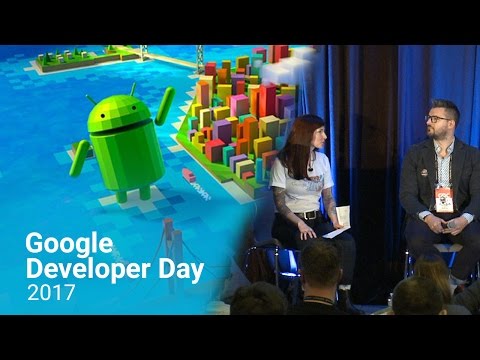
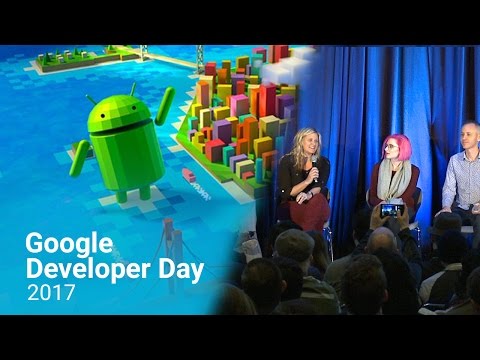
practices for successfully building their own communities. Watch the panel
session below to hear advice from Seriously,
Social
Point
, and Super
Evil MegaCorp
.


1. Be authentic


Community is a mindset; be honest, transparent & patient with
your communications. Loyal users are extremely valuable, thus the folks at Super
Evil Megacorp say that you should act like you have to earn every player.


2. Start small


Build a plan and start today. Launch your social media
channels, look into influencers, and create a strategy. Whether it's sharing one
piece of fan art a week across your network, or running a closed beta to gather
feedback from your most valued users, take action and learn what works best for
you and your users.


3. Play match-maker


When finding influencers to support your game, ensure
they're a genuine match. Make sure the influencer's audience is a good fit with
your game and existing community.


4. Seek feedback 


Communities are passionate. Use feedback to understand what
kind of game and features your users want. Be flexible and iterative so you can
react and evolve your game with the needs and desires of your community.
However, don't be afraid to stay true to what you stand for as sometimes you'll
need to agree to disagree with some players.


5. Build for the long-term


The lifespan of games is continuing to grow. Plan
your business strategy, update cycles and community efforts to roll out over
time and expand with your growing experiences and user-base.


Watch
more sessions
from Google Developer Day at GDC17 on the Android Developers
YT channel to learn tips for success. Also, visit the Android Developers website
to stay up-to-date with features and best practices that will help you grow a
successful business on Google Play
.


How useful did you find this blogpost?


? ? ? ? ?


Thursday, March 23, 2017

5 tips for launching successful apps and games on Google Play


Posted by Adam Gutterman, Go-To-Market Strategic Lead, Google Play
Games


Last month at the Game Developers Conference (GDC), we held a developer panel
focused on sharing best practices for building successful app and game
businesses. Check out 5 tips for developers, both large and small, as shared by
our gaming partners at Electronic
Arts
(EA), Hutch
Games
, Nix
Hydra
, Space Ape
Games
and Omnidrone.


1. Test, test, test


The best time to test, is before you launch; so test boldly and test a lot! Nix
Hydra recommends testing creative, including art style and messaging, as well as
gameplay mechanics, onboarding flows and anything else you're not sure about.
Gathering feedback from real users in advance of launching can highlight what's
working and what can be improved to ensure your game's in the best shape
possible at launch.


2. Store listing experiments


Run experiments on all of your store listing page assets. Taking bold risks
instead of making assumptions allows you to see the impact of different
variables with your actual user base on Google Play. Test in different regions
to ensure your store listing page is optimized for each major market, as they
often perform differently.


3. Early Access program


Space Ape Games recently used Early Access to test different onboarding
experiences and gameplay control methods in their game. Finding the right
combination led them to double-digit growth in D1 retention. Gathering these
results in advance of launch helped the team fine tune and polish the game,
minimizing risk before releasing to the masses.


"Early Access is cool because you can ask the big questions and get real
answers from real players," Joe Raeburn, Founding Product Guy at Space Ape
Games.


Watch the Android Developer Story below to hear how Omnidrone benefits from
Early Access using strong user feedback to improve retention, engagement and
monetization in their game.


Mobile game developer Omnidrone benefits from Early Access.


4. Pre-registration


Electronic Arts has run more than 5 pre-registration campaigns on Google Play.
Pre-registration allows them to start marketing and build awareness for titles
with a clear call-to-action before launch. This gives them a running start on
launch day having built a group of users to activate upon the game's release
resulting in a jump in D1 installs.


5. Seek feedback


All partners strongly recommended seeking feedback early and often. Feedback
tells both sides of the story, by pointing out what's broken as well as what
you're doing right. Find the right time and channels to request feedback,
whether they be in-game, social, email, or even through reading and responding
to reviews
within the Google Play store.


If you're a startup who has an upcoming launch on Google Play or has launched an
app or game recently and you're interested in opportunities like Early Access
and pre-registration, get
in touch with us
so we can work with you.


Watch
sessions
from Google Developer Day at GDC17 on the Android Developers YT
channel to learn tips for success. Also, visit the Android Developers website to
stay up-to-date with features and best practices that will help you grow a
successful business on Google Play
.


How useful did you find this blogpost?


? ? ? ? ?


Thursday, March 16, 2017

Android Developer Story: LinkedIn uses Android Studio to build a performant app


Posted by Christopher Katsaros, Developer Marketing, Android


LinkedIn is the world's largest social network
for professionals. LinkedIn has 10
apps on Google Play
, including the flagship LinkedIn
app
, which provides all of the same features users find on the web, so users
can do things like browse and send messages to their professional network with
an improved user experience.


For LinkedIn, and other teams with a large number of developers adding code to a
project, making sure that everyone pays attention to areas that affect
performance is vital for the quality of their app. That's why the the LinkedIn
mobile team uses Android Studio to
build high quality Android apps.


Watch Pradeepta Dash, Engineering Manager for Infrastructure at LinkedIn, as
well as Drew Hannay, Tech Lead for the Android Infrastructure team, talk about
how Android Studio helps everyone on their team stay focused on these topics
while getting new engineers quickly up and running:


The top Android developers use Android Studio to build powerful, successful apps
for Google Play; you can learn more about the official IDE for Android app
development, and get
started for yourself
.


Get more tips and watch more success stories in the Playbook for
Developers app
.


How useful did you find this blogpost?


? ? ? ? ?


Wednesday, February 15, 2017

Tips for building high-quality and accessible financial services apps


Posted by Joel Newman & Ashraf Hassan, Strategic Partnerships, Finance, Google Play


Millions of people around the globe have limited or no access to basic financial
services to enable them to manage their day-to-day finances. Mobile technology
can help bridge this gap by connecting historically underserved consumers with
high-quality tools to help them improve their financial health.


Often faced with an uncertain regulatory environment and/or a highly fragmented
financial marketplace, many developers struggle with building great app
experiences while also navigating this complex financial space. That's why we
recently worked with CFSI, the authority on consumer financial health, to create
the FinTech App Development Compass, a six-step guide for building high quality
mobile apps to make financial services more accessible on Google Play.


Below, we're sharing six tips to consider when building a financial services
app. For more, read the complete FinTech App Development Compass.


Tip 1: Know Your User


Understand who your consumer is and what difference your product can make in
their day-to-day life. What are their financial needs? How can your product
improve their financial health? How does your product fit within the context of
their financial lives?


Tip 2: Focus on Access


Responsibly expand access to your product. Consider how your product can fit
seamlessly into your users' routines. Consider your users' circumstances,
including that English may not be their first language and that they may be
using older devices with limited data plans.


Tip 3: Establish and Maintain Trust


Trust is at a premium in the financial space. Make sure you are developing
mutually beneficial financial solutions that deliver clear and consistent value.
Similarly, make sure you are using the latest security tools available from the
Android platform to secure your users' data.


Tip 4: Test and Iterate


Before releasing any product to the public, make sure it has been thoroughly
tested. From a financial perspective, be sure to measure the actual impact of
your product on users over time. From a technological perspective, be sure to
leverage Google Play alpha and beta channels for distributing apps before their
public release.


Tip 5: Drive Positive User Behavior


Drive positive consumer behavior through smart design and communication.
Leverage the Android platform tools like Material Design and notifications to
steer users toward positive action or take financial action at appropriate
times.


Tip 6: Recognize the Value of Mutual Success


Remember that the best business models are win-win: If your users' financial
health improves, your company profits. Consider embedding financial impact and
technological tracking capabilities within your platform from the beginning.


For additional information, refer to the CFSI Compass Principles and get the Playbook for
Developers app
to stay up-to-date with more features and best practices that
will help you grow a successful business on Google Play.


How useful did you find this blogpost?


? ? ? ? ?


Thursday, January 19, 2017

App Security Improvements: Looking back at 2016


Posted by Rahul Mishra, Android Security Program Manager


In April 2016, the Android Security team described how the Google Play App
Security Improvement (ASI) program has helped developers fix
security issues in 100,000 applications
. Since then, we have detected and
notified developers of 11 new security issues and provided developers with
resources and guidance to update their apps. Because of this, over 90,000
developers have updated over 275,000 apps!


ASI now notifies developers of 26 potential security issues. To make this
process more transparent, we introduced a new page where
developers can find information about all these security issues in one place.
This page includes links to help center articles containing instructions and
additional support contacts. Developers can use this page as a resource to learn
about new issues and keep track of all past issues.


Make sure to check out our new Security for Android Developers page, which highlights the latest
security posts, security best
practices documents
and security
checklist
. These resources are all aimed at improving your understanding of general
security concepts and giving you examples that can help you address app-specific
issues.


How you can help:


For feedback or questions, please reach out to us through the Google PlayDeveloper Help Center.

To report potential security issues in apps, email us at
security+asi@android.com.

Android Developer Story: Wallapop improves user conversions with store listing experiments on Google Play


Posted by Lily Sheringham, Developer Marketing, Google Play


Wallapop
is a mobile app developer based in Barcelona, Spain. The app provides a platform
to users for selling and buying things to others nearby in a virtual flea market
by using geolocalization. Wallapop now has over 70% of their user base on
Android.


Watch Agus Gomez, Co-Founder & CEO, and Marta Gui, Growth Hacking Manager,
explain how using store listing experiments has increased their conversion rate
by 17%, and has allowed them to optimize organic installs.


Learn
more about store listing experiments
. Get the Playbook for
Developers app
to stay up-to-date with more features and best practices that
will help you grow a successful business on Google Play.


How useful did you find this blogpost?


? ? ? ? ?


Tips from developers Peak and Soundcloud on how to grow your startup on Google Play


Posted by Francesca Di Felice, Developer Marketing at Google
Play


At Playtime 2016, Google Play's series of developer events, we met with top app
and game developers from around the world to share learnings on how to build
successful businesses on Google Play. Several startups, including game developer
Peaklabs and audio platform SoundCloud, presented on stage their own best
practices for growth, which you might find helpful.


Testing for growth, by Peak


Hear from Kevin Shanahan, Product Manager from Peak,
a brain training app, on how to grow sustainably.


  • Test lots of ideas: You can't be sure of what will work and
    what won't, so you need to test lots of ideas. Peak ran four different tests to
    try to increase conversions to Pro (their subscriber offering):


  1. Made the ability to replay games a Pro feature

  2. Reduced price of Pro by 25% in top 2 markets

  3. Bundled add-on modules from partners into Pro

  4. Showed a preview of Pro-only content


          One of these tests resulted in a 50% increase in conversions.


  • Get the basics right: Start with a great product and have a
    data-informed culture. Don't only test app features, experimenting your store
    listing using store
    listing experiments
    is also important.

  • Build a robust A/B testing process: Having
    a well-defined A/B testing process and a system for tracking your experiments is
    key to testing quickly and effectively.


Improving user retention, by
SoundCloud


Andy Carvell, former Product Manager at SoundCloud,
an online audio distribution platform that enables its users to upload, record,
promote, and share their originally-created sounds, explains how they focus on
retention to improve growth.


  • Design your retention strategy: Apps with poor retention
    grow slowly. To increase your retention you should:

    • Convert new users to repeat visitors by providing a strong onboarding
      experience for new users and taking a high-touch approach during the first days
      and weeks.

    • Increase visit frequency within this group by providing frequent, timely,
      and relevant messaging about content or activity on the platform.

    • Target returning users who were not seen over the last period, who are 'at
      risk of churn' users, by giving them reasons to come back for another session
      before losing them.

    • Re-activate lapsed (long-term churned) users with campaigns to remind them
      about your app and offer an incentive to return.


  • Build 'growth machines': Create repeatable processes that
    testing has proven to positively impact retention, retaining users, and
    preventing churn.


  • Use activity notifications in a personalised and effective
    way
    : At SoundCloud there are plenty of things that happen when users
    are not in the app that might be relevant to them, for example new content
    releases or social interactions. They tested 5 new notification types, always
    keeping a control group to better keep track of the impact, and managed to
    increase retention in a 5%. Watch the video
    above for more of Andy's tips on making better use of notifications.


Other speakers, such as Silicon Valley VC Greylock, have also shared their
tips for startup growth
. Watch
more sessions from this year's Playtime events
to learn best practices from
other apps and game partners, and the Google Play team. Get the Playbook for Developers app to stay up to
date with news and tips to help you grow a successful business on Google Play.


How useful did you find this blogpost?


? ? ? ? ?